Pagewake is a Chrome extension that watches the pages you choose and sends a desktop alert when they change. Use it for restocks, price drops, new tenders, job posts and booking dates.
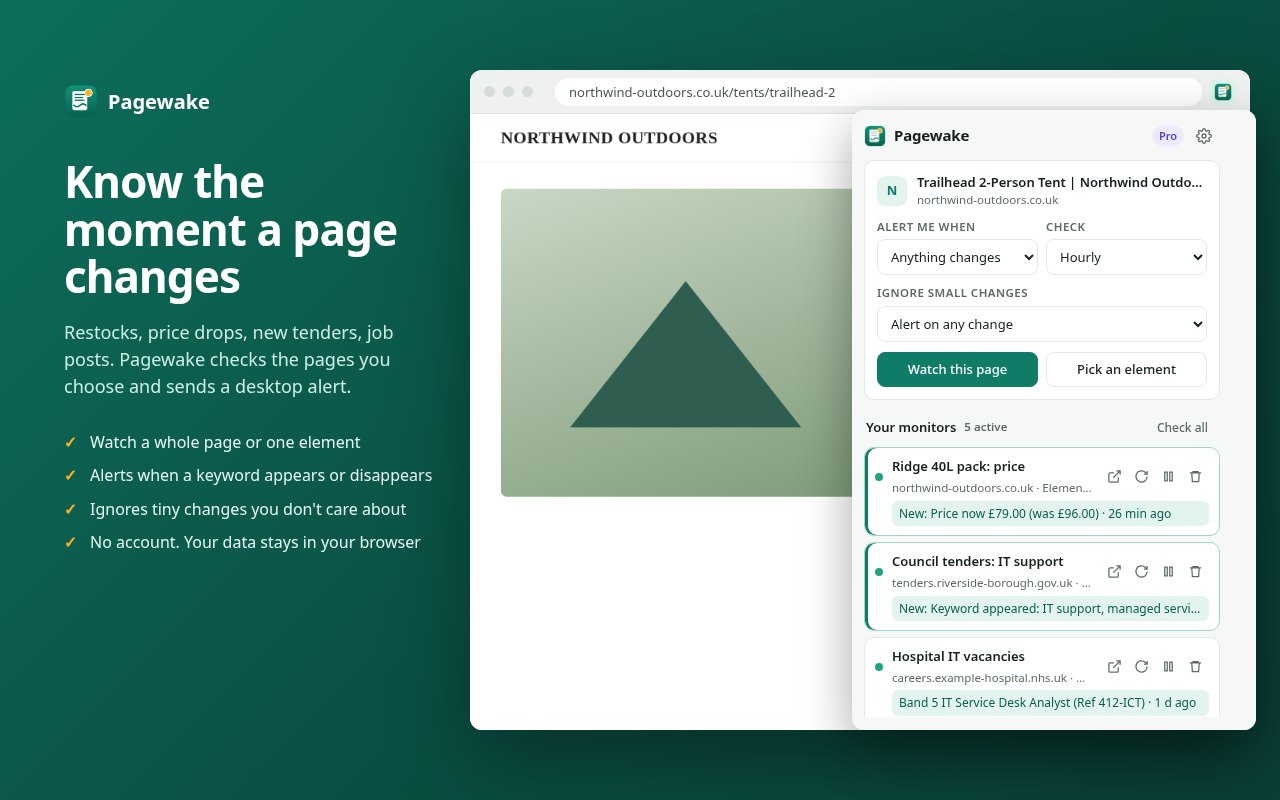
Tell Pagewake what to watch and how often. It checks quietly in the background and alerts you only when something you care about changes.
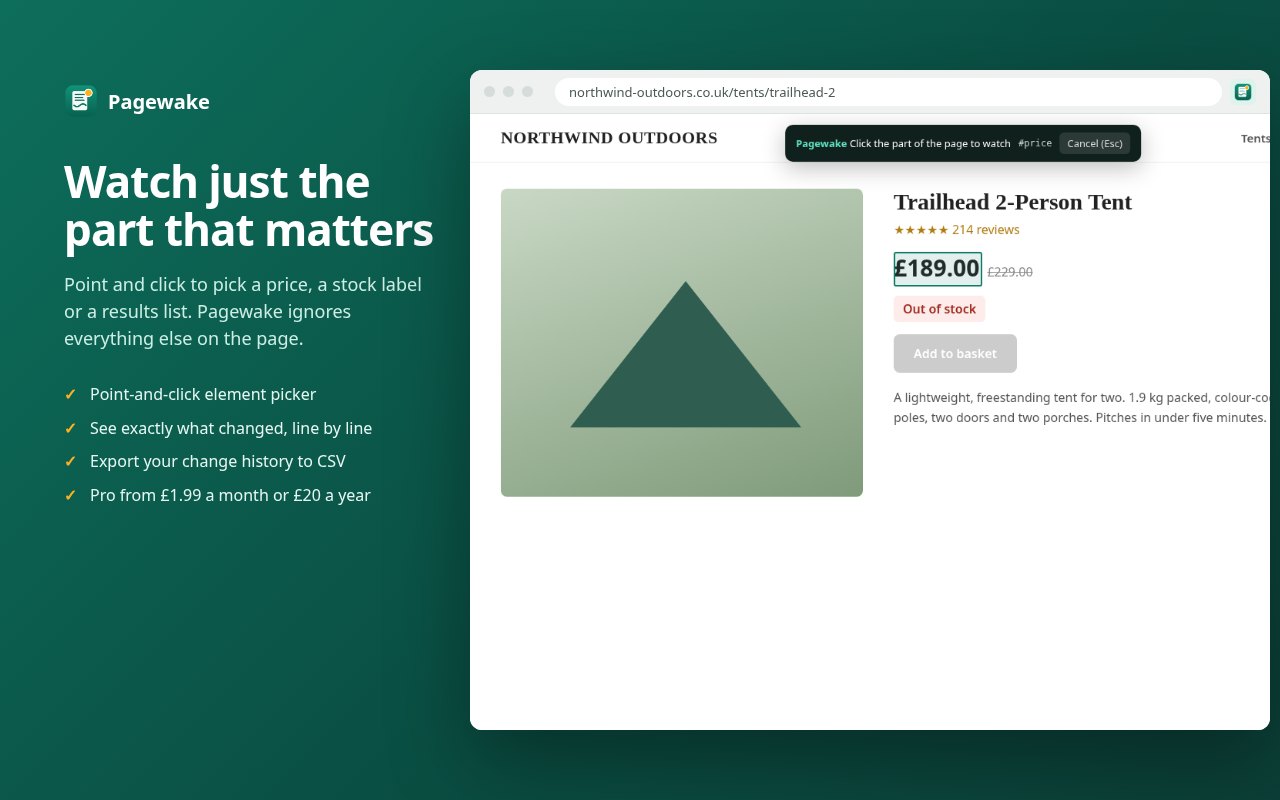
Watch a whole page, or point and click to watch just a price, a stock label or a list of results.
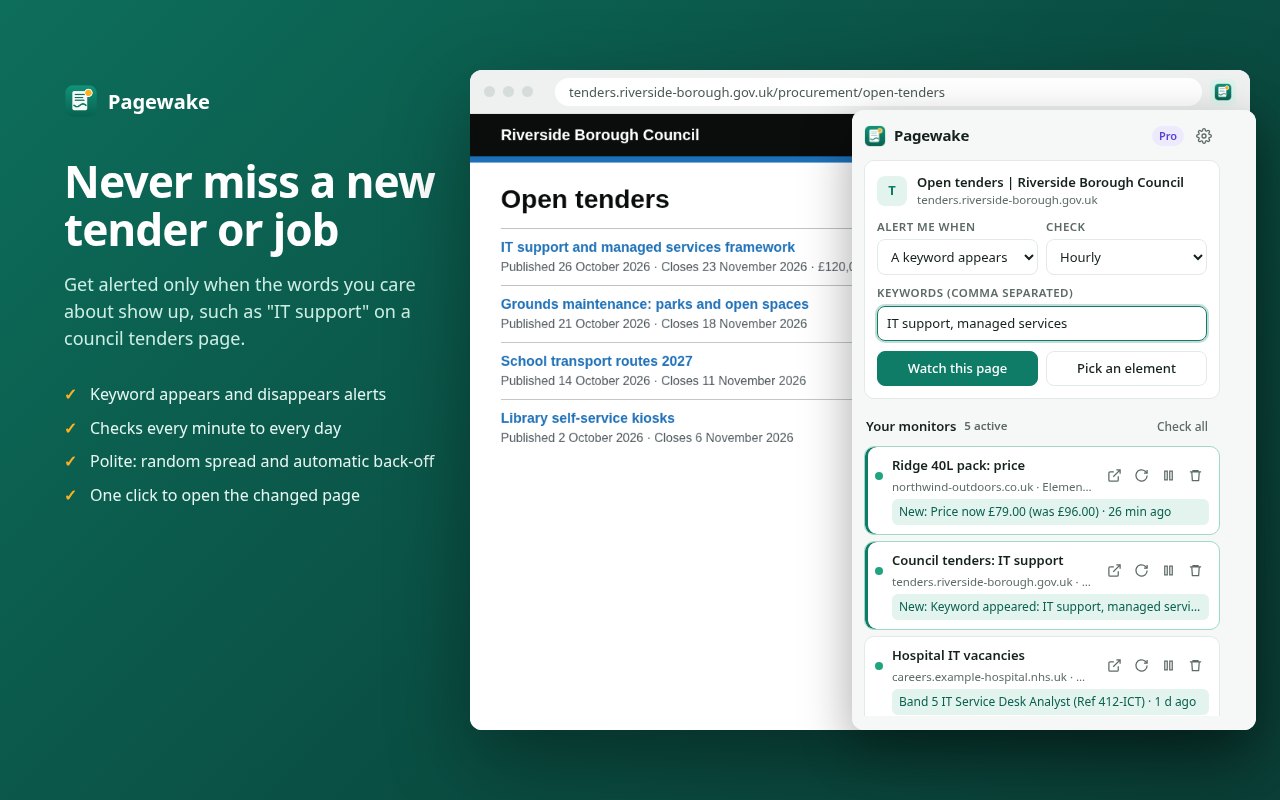
Get alerted when “in stock” appears, or when “sold out” disappears, and ignore everything else.
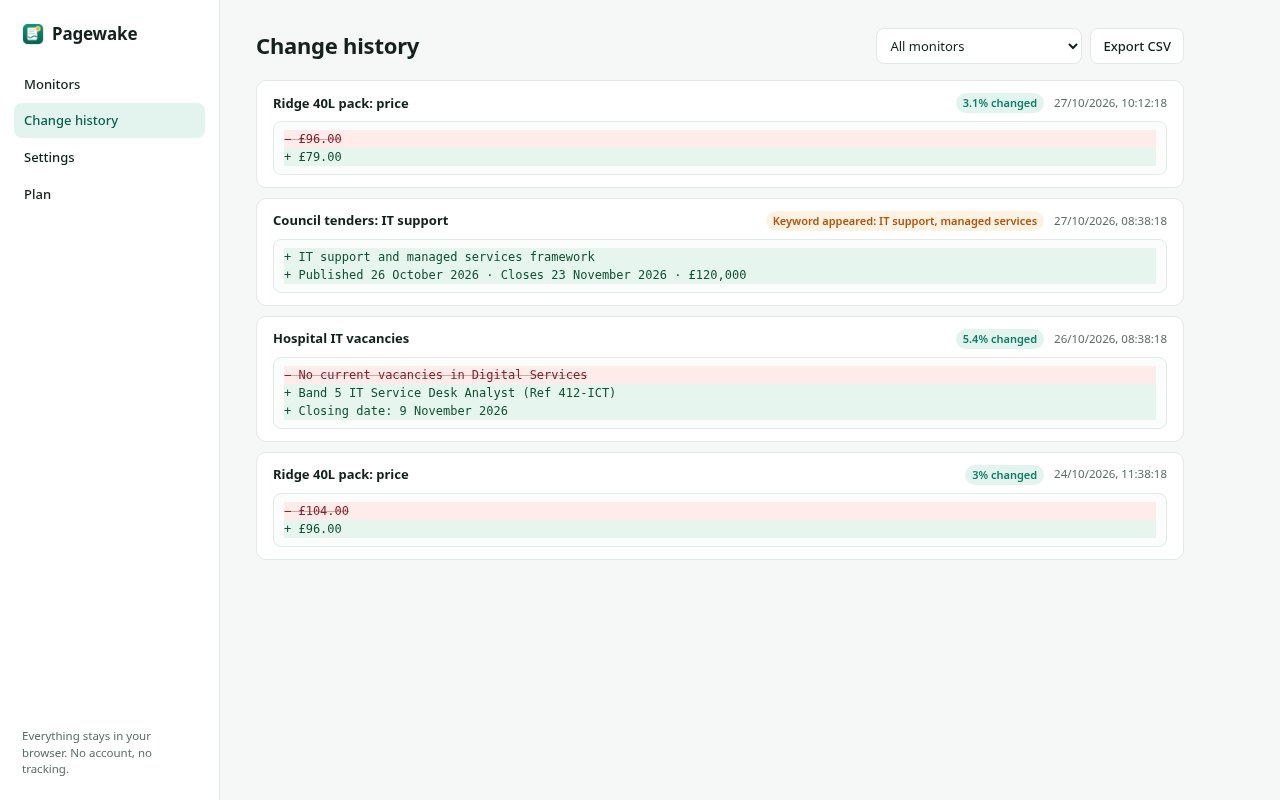
A clear before-and-after shows which lines were added and removed, with a history you can export to CSV.
Set a threshold so dates, counters and other minor edits don't trigger alerts.
Check every hour on the free plan, or as often as every minute with Pro.
No account, no tracking and no analytics. Your monitors and history are stored only in your browser.
Set up a watch in under a minute.
Go to the page you want to keep an eye on and click the Pagewake icon.
Any change, a keyword appearing or disappearing, or a single element you pick.
Pagewake checks on your schedule and sends a desktop notification when there's a change.
Start free. Upgrade when you need more monitors, faster checks or smarter alerts.
Prices include VAT where applicable. Subscriptions renew automatically until cancelled, and you can cancel at any time. Payments are handled securely by Lemon Squeezy, our merchant of record. If your subscription ends, your Pro monitors are paused, not deleted. See our terms and refund policy.
No. Pagewake works straight away in your browser. If you buy Pro, you check out with Lemon Squeezy, our payment provider, and get a licence key by email. Paste it into Pagewake to turn on Pro, including on your other computers.
None. Your watched pages, snapshots and history stay in your browser. See the privacy policy.
No. Pagewake checks no more than once a minute, spreads checks out at random, waits between requests to the same site, and backs off automatically if a site reports errors.
Open Pagewake's settings, go to Plan and click "Manage or cancel subscription", or use the link in your receipt email. Both open the Lemon Squeezy customer portal. You keep Pro until the end of the period you've paid for.
Google Chrome and other Chromium-based browsers that install extensions from the Chrome Web Store.
 Pagewake